Mission Control GG3.2.0
Publisher Description
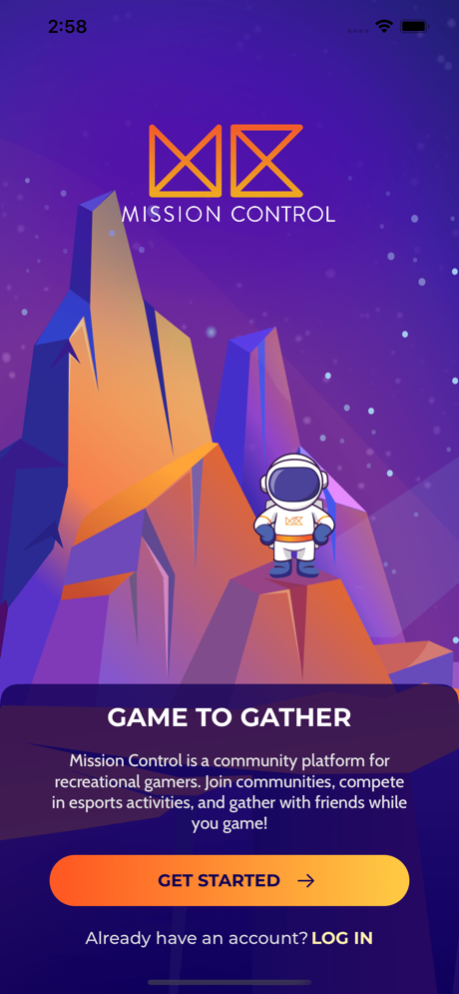
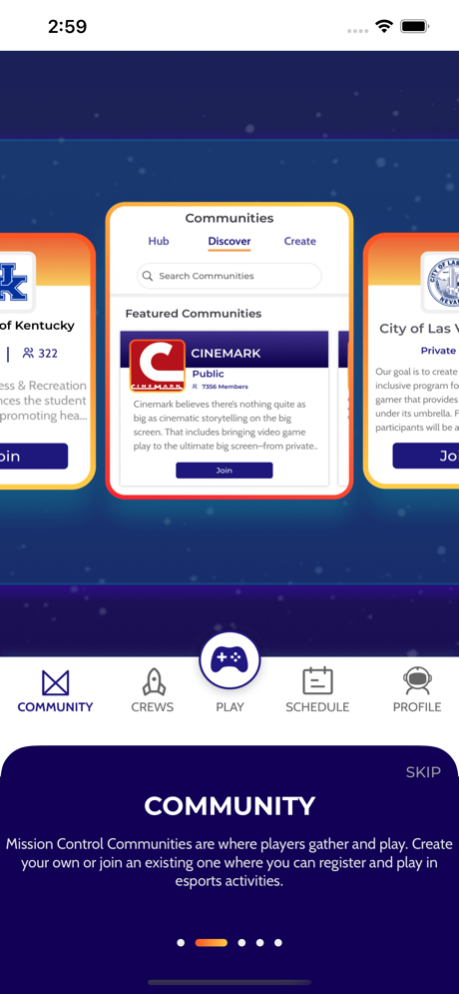

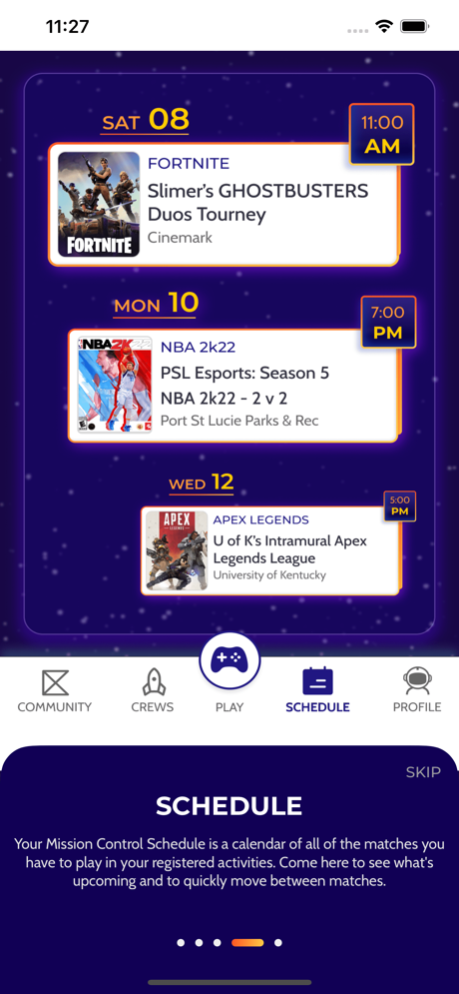
Mission Control is a community platform for recreational gamers. On Mission Control, players can create their own gaming communities, organize esports activities, and gather with friends while they game. Mission Control makes it easy for communities to host recreational activities, just like traditional recreational sports leagues or tournaments, but with their favorite video games. On the other hand, players use Mission Control to register for esports activities, manage their gaming schedules, and squad up with friends to win.
In addition to commissioner communities hosted by players, Mission Control is used by organizations across the United States to host their recreational esports communities, including parks & recreation departments like the City of Las Vegas, college recreation departments like the University of Kentucky, various brands like Cinemark, and more. Players utilize the Mission Control app for the following features:
COMMUNITY
- Discover communities hosting recreational esports activities, like leagues and tournaments of your favorite games, or create and build your own
- Register for esports activities, manage your schedule, play against opponents, and do your best to win bragging rights and more
SQUADS
- Gather your friends and create your very own esports team. Use Mission Control Squads to chat and organize as your prepare to play.
PLAY
- Keep track of all your activities across your various communities, communicate with organizers and opponents, and always know where you stand
SCHEDULE
- Keep straight when your next match is and easily manage the discussion, timing, and scoring when you play
PROFILE
- Make a name for yourself while you create your own gaming profile and identity across all games and platforms
May 18, 2023
Version 3.2.0
Astro, the Mission Control Mascot, has been busy fixing bugs related to tournaments and team invites. Adjustments have also been made to the play screen.
About Mission Control GG
The company that develops Mission Control GG is Milestone Development, LLC. The latest version released by its developer is 3.2.0.
To install Mission Control GG on your iOS device, just click the green Continue To App button above to start the installation process. The app is listed on our website since 2023-05-18 and was downloaded 5 times. We have already checked if the download link is safe, however for your own protection we recommend that you scan the downloaded app with your antivirus. Your antivirus may detect the Mission Control GG as malware if the download link is broken.
How to install Mission Control GG on your iOS device:
- Click on the Continue To App button on our website. This will redirect you to the App Store.
- Once the Mission Control GG is shown in the iTunes listing of your iOS device, you can start its download and installation. Tap on the GET button to the right of the app to start downloading it.
- If you are not logged-in the iOS appstore app, you'll be prompted for your your Apple ID and/or password.
- After Mission Control GG is downloaded, you'll see an INSTALL button to the right. Tap on it to start the actual installation of the iOS app.
- Once installation is finished you can tap on the OPEN button to start it. Its icon will also be added to your device home screen.
Program Details
System requirements
Download information
Pricing
Version History
version 3.2.0
posted on 2023-05-18
May 18, 2023
Version 3.2.0
Astro, the Mission Control Mascot, has been busy fixing bugs related to tournaments and team invites. Adjustments have also been made to the play screen.
version 3.1.9
posted on 2023-05-17
May 17, 2023
Version 3.1.9
Astro, the Mission Control Mascot, has been busy fixing bugs related to tournaments and league standings
version 3.1.8
posted on 2023-05-16
May 16, 2023
Version 3.1.8
Astro, the Mission Control Mascot, has been busy fixing bugs related to search.
version 3.1.7
posted on 2023-05-12
May 12, 2023
Version 3.1.7
Astro, the Mission Control Mascot, has been busy improving the create, activity, and community modules. Astro has a new way to search through Mission Control communities and activities.
version 3.1.6
posted on 2023-04-01
Apr 1, 2023
Version 3.1.6
Astro, the Mission Control Mascot, has been busy building improving the profile and squad modules.
version 3.1.5
posted on 2023-03-09
Mar 9, 2023
Version 3.1.5
Astro, the Mission Control Mascot, has been busy building a new activity registration experience for players.
version 2.2.8
posted on 2022-03-24
Mar 24, 2022 Version 2.2.8
Astro, the Mission Control mascot, made it so players can submit multiple photos when entering a score. Additionally, a few repairs were made for rare errors including messaging, scheduling, and league console descriptions.
Stay tuned for future product updates by following along on Twitter, Facebook, or Instragram @playMCgg.
version 2.2.6
posted on 2022-02-24
Feb 24, 2022
Version 2.2.6
Astro, the Mission Control Mascot, has been busy making repairs! Multiple minor bug fixes and improvements to the Activity Lobby experience.
Stay tuned for future product updates by following along on Twitter, Facebook, or Instagram @playMCgg.
version 2.2.4
posted on 2022-02-03
Feb 3, 2022 Version 2.2.4
Astro, the Mission Control Mascot, has been busy making repairs! Multiple minor bug fixes and improvements were made to dark mode, scoring, standings, time zones, player counts, deep linking, chat, & more. The ship has a new purr to her!
Stay tuned for future product updates by following along on Twitter, Facebook, or Instragram @playMCgg.
version 2.2.3
posted on 2022-01-20
Jan 20, 2022 Version 2.2.3
Astro, the Mission Control mascot, has officially docked with a new Match View! This match view should deliver more clarity on the details and action item’s about a player’s next match.
Astro also made a few bug fixes and feature adjustments, including an increase in the image size allowed in order to cause less issues when players submit photos to verify scores.
